GRIDLINE / THE FREE SAMPLE
A free OBS
Starting Soon screen.
Give your next stream a clear opening. Try Gridline with a full-resolution Starting Soon image and a matching About panel, ready to use on your own channel.
Free ZIP · 1.5 MB · No email or account · Unwatermarked PNGs
A SMALL, USEFUL START
What’s in the free stream overlay sample?
Two coordinated images, plus instructions and the licence. A simple way to try the artwork and the OBS workflow before choosing a full pack.
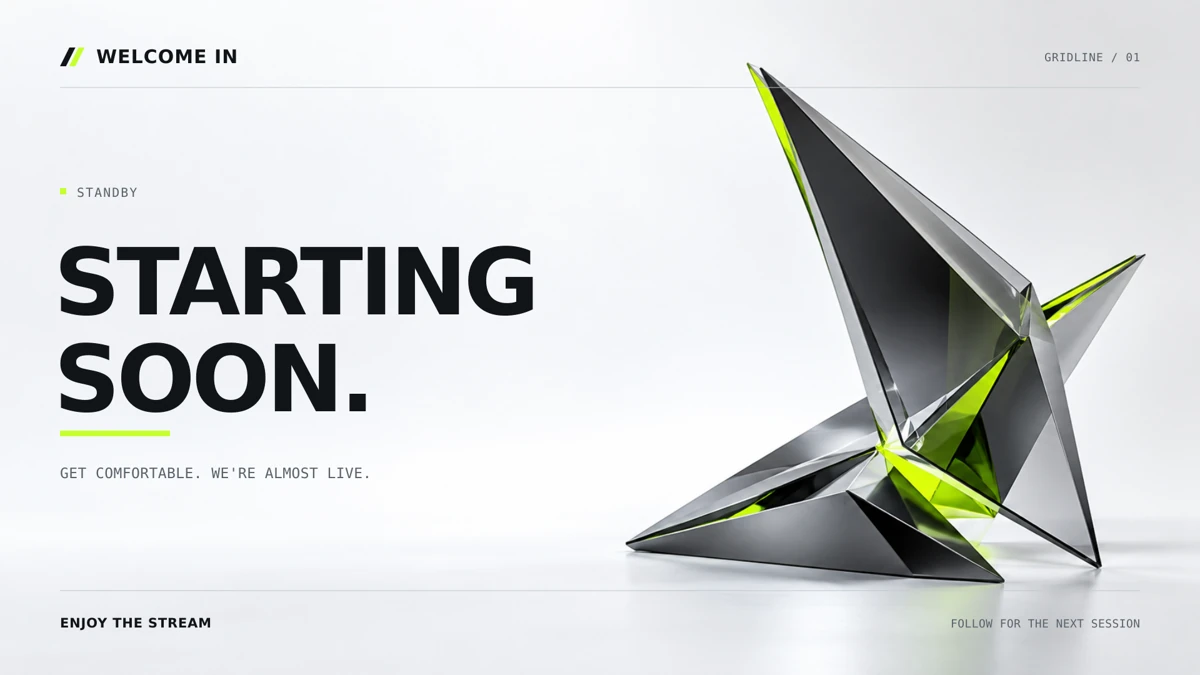
Starting Soon screen
starting.png · 1920 × 1080
A static, full-screen opening scene with generic text. Add it as an OBS Image source while you prepare to go live.
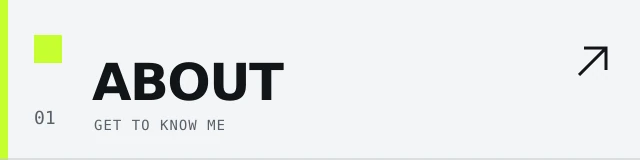
About channel panel
about.png · 640 × 160
A matching panel for your channel page. Designed for a 320 × 80 display wherever your platform supports a custom panel image.
The sample uses generic text and includes two static PNGs. Editable SVGs, webcam frames, name personalization and the animated local browser scene are part of the paid pack.
TRY THE LOOK. COMPLETE YOUR CHANNEL.
Free sample or full Gridline?
Start with two images, or bring the same look to your whole stream.
Free sample
C$0
- One Starting Soon screen + one About panel
- Two static, unwatermarked PNGs
- Generic text, ready to use
- OBS setup instructions + sample licence
Complete Gridline pack
C$29 one-time · CAD
- Four scenes, two webcam frames, six panels, banner + avatar
- 14 designs in PNG + editable SVG
- Local HTML scene with motion + name personalizer
- Fonts, setup instructions + channel-use licence
Both are downloads you set up in OBS yourself. The paid personalizer changes the browser scene; edit the SVGs to change text or colours in the static graphics.
FROM DOWNLOAD TO SCENE
Set up the sample in OBS.
Use an Image source for this PNG sample. Keep the extracted files in a permanent folder so your scene can find them next time.
- 01
Download and unzip
Extract the ZIP into a folder you can keep on your computer. OBS needs access to the image after setup, so keep that folder in place.
- 02
Create your Starting Soon scene
In OBS, add a scene named Starting Soon. Under Sources, select +, choose Image, and browse to starting.png.
- 03
Fit the screen to your canvas
The image is 1920 × 1080. With the source selected, use Transform → Fit to Screen. Check the preview before switching to the scene on stream.
- 04
Add your About panel
Upload about.png wherever your streaming platform supports custom channel panels. It is 640 × 160, designed to display at 320 × 80. Add your channel introduction using the platform’s panel text.
OBS supports PNG images on Windows, macOS and Linux. Official OBS Image source documentation
BEFORE YOUR FIRST STREAM
A few useful answers.
Can I use the sample on a monetized channel?
Yes. The included licence allows use on channels and social accounts you own or operate as one creator or business, including monetized and sponsored streams. You may not resell or redistribute the asset files. Read LICENSE.txt in the ZIP for the complete sample licence.
Is this an animated overlay or a webcam frame?
The free sample is two static PNG images: a Starting Soon screen and an About panel. It does not include animation, a webcam frame, alerts or chat. If you need a frame around your camera, our OBS webcam frame guide explains the source layout.
Can I put my channel name on it?
The sample is ready to use with generic text. It does not include editable SVG source files or the HTML personalizer. The full Gridline pack includes those tools for making the artwork your own.
Do I need to sign up to download it?
No. The download button opens the ZIP directly. Unzip it, read the included README and licence, and choose starting.png in OBS.
Why is the image missing when I reopen OBS?
Check that the extracted folder still exists in the same location. Open the Image source properties and select starting.png again if you moved it. Keep the source visible, then check its position and size in your scene preview.
WHEN YOU’RE READY FOR THE REST
One scene today.
A full channel tomorrow.
The paid Gridline pack includes 14 coordinated designs, editable SVGs, wide and square webcam frames, and a local browser scene personalizer. C$29, one-time.
START WITH THE SAMPLE
Try it on your next stream.
Two useful PNGs. A clear first step.
Download the free sample