FIELD NOTE 06 / MOTION & BROWSER SOURCES
Add animated overlays to OBS.
Choose the right source for static or moving artwork, export a local HTML scene, and check its motion before going live.
Choose the format for your scene
A PNG gives you fixed artwork. A local HTML scene lets OBS render a web page containing text, artwork, and animation. Choose the file that fits the job before adding it to your scene.
Both formats are part of a complete FWG Studio pack. The free Gridline sample contains two static PNGs: a Starting Soon screen and an About panel. It does not include animation or the personalizer.
| Your goal | File and source | How to personalize it |
|---|---|---|
| A fixed Starting Soon, BRB, Ending, or Offline screen | PNG in an Image source | Edit the SVG original, then export a new PNG |
| A frame around your webcam | Transparent PNG in an Image source, above the camera | Edit the SVG original if needed |
| A full scene with your name, handle, message, and decorative motion | Saved HTML in a Browser source with Local file enabled | Use the complete pack’s PERSONALIZE.html |
OBS supports PNGs and transparency in an Image source. Its Browser source can load a local web page. The SVG is your editable original; export a PNG for the Image source.
The Studio HTML scene is full-screen artwork for moments such as Starting Soon or BRB. Placing it above gameplay can cover the game.
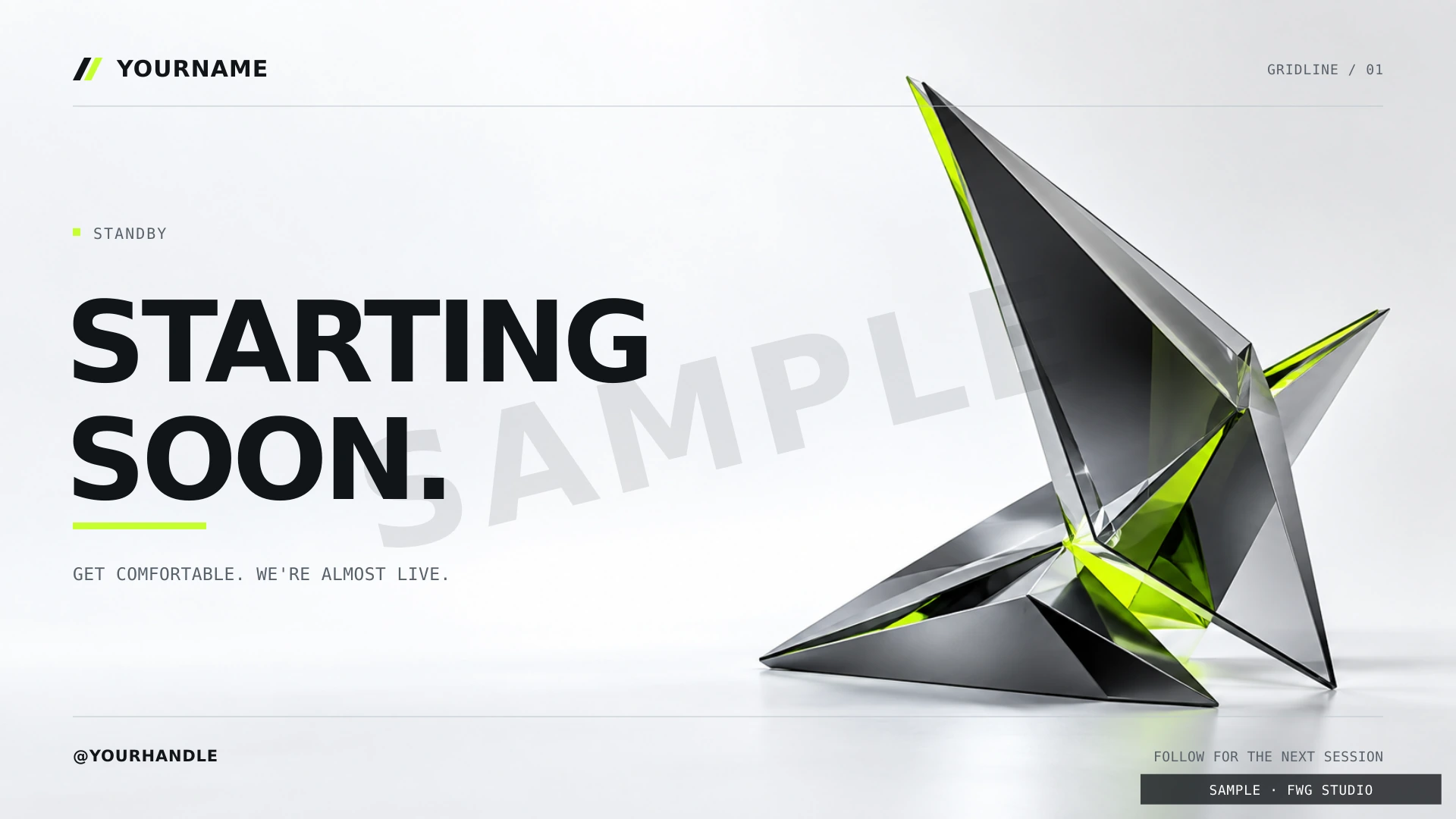
Add the static PNG
- Extract the pack or sample into a folder you intend to keep.
- In your OBS scene, choose Sources → + → Image.
- Select the PNG, then fit it to your canvas without stretching its proportions.
- For a webcam frame, place the image above the camera in the Sources list. Adjust the camera to the frame’s opening.
The webcam-frame guide covers cropping and alignment. A static PNG stays still; selecting it as a Browser source does not turn it into an animation.
Add a personalized animated scene
- Open the complete pack’s
PERSONALIZE.htmlin a desktop browser. - Enter your name and handle, choose the scene state, and set your message and motion preference.
- Choose Download OBS scene. Give the saved HTML a clear name, such as
channel-starting.html. - Add a Browser source in OBS. Enable Local file, then select that saved HTML.
- Set the Browser source’s rendering area to 1920 × 1080. Position the result on your OBS canvas and check the edges.
The personalizer is the editor. The downloaded HTML is the scene you add to OBS. Keep the saved file in your permanent assets folder. See personalize your stream overlays for the full export workflow.
Motion is decoration; scene changes are yours
The animated scene can move while its text and selected state stay fixed. Its decorative movement is not a countdown, a live status indicator, or an alert feed.
Export a separate HTML file for each state you plan to use. Changing from Starting Soon to BRB happens when you select the corresponding scene in OBS. The file does not detect the broadcast’s status for you.
Choose motion off if you prefer a still scene. The scene also respects a reduced-motion preference. Test the exported result in OBS to check the behavior on your streaming computer.
Make one short test before going live
Record a short sequence with the scene visible, then switch away and return. Watch for readable text, uncropped artwork, and the motion setting you intended.
If the Browser source is blank or unexpectedly still, follow the Browser source troubleshooting guide. Keep a tested static scene available while you investigate.
Try the format that fits your stream
Preview Gridline in motion with your name. To try the Image source workflow first, get the two free sample PNGs, with no email or account.
The complete Gridline pack costs C$29 once, in CAD. It includes 14 designs in PNG and editable SVG, plus the animated local HTML scene and personalizer.